
Product Tools is a dedicated hub for defining, structuring, and managing your product portfolio. Access it from the main navigation under Product Tools.
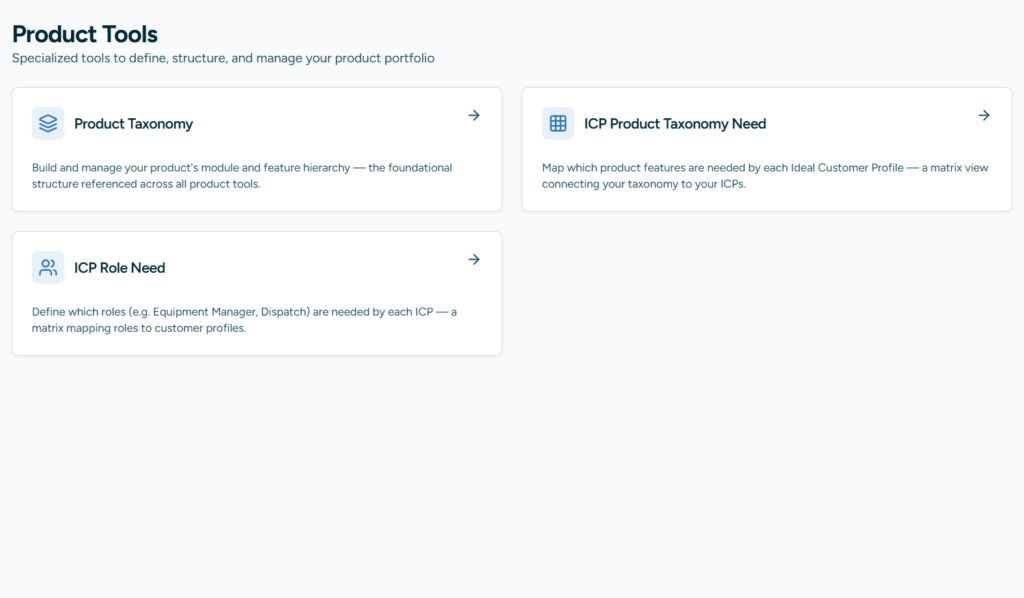
Product Taxonomy
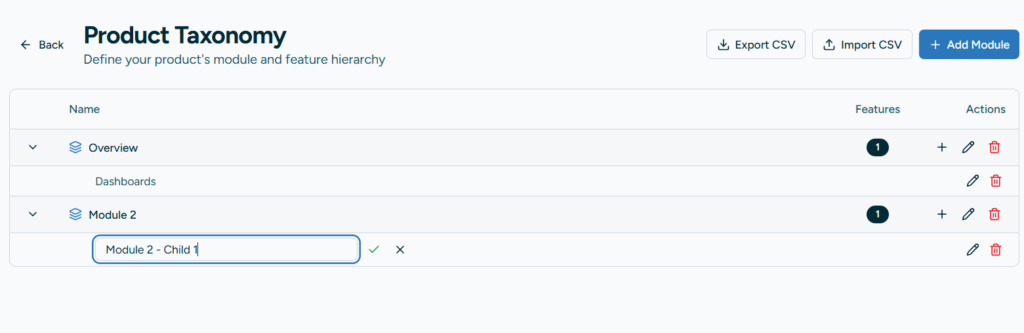
The Product Taxonomy tool lets you build and manage your product’s module and feature hierarchy — the foundational structure referenced across all other product tools.
- Modules (Level 1): Top-level groupings that represent major areas of your product (e.g., “Fleet Management”, “Dispatch”, “Billing”).
- Features (Level 2): Individual capabilities nested under each module (e.g., “GPS Tracking”, “Route Optimization”).
Key capabilities:
- Add, edit, and reorder modules and features inline
- Expand/collapse modules to view their features
- Bulk import via CSV upload with automatic name-based deduplication
- Export your full taxonomy to CSV
ICP Product Taxonomy Need
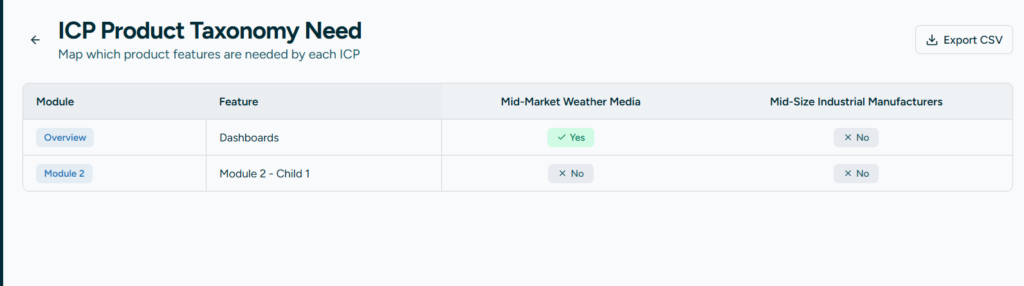
This tool provides a matrix view that maps which product features are needed by each Ideal Customer Profile (ICP). Use it to understand which parts of your product matter most to each customer segment.
- Rows represent your taxonomy features; columns represent your ICPs
- Toggle cells to indicate whether a feature is needed by a given ICP
- Export the full matrix to CSV for offline analysis or sharing
ICP Role Need
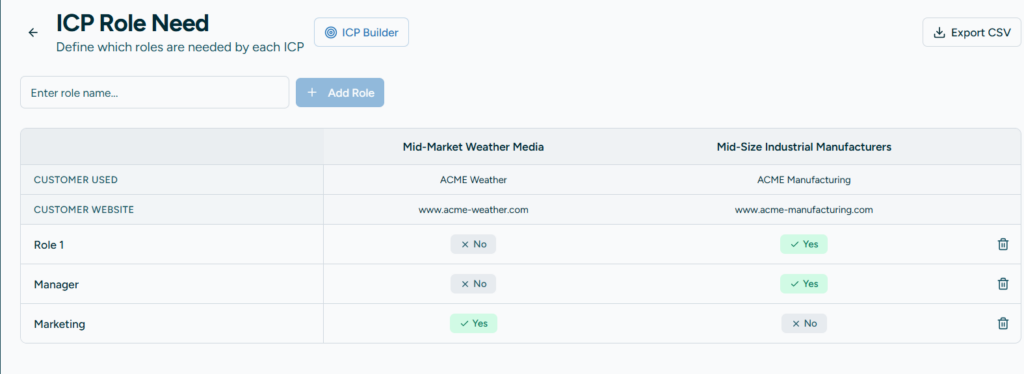
Similar to the taxonomy need matrix, this tool maps which user roles (e.g., Equipment Manager, Dispatch, Driver) are relevant to each ICP.
- Rows represent roles; columns represent your ICPs
- Toggle cells to mark which roles apply to each customer profile
- Export the matrix to CSV
Access & Permissions
Product Tools supports granular, persona-based access control:
- Edit access is granted by default to Head of Business, Head of Product Management, and Product Team Member personas.
- View-only access is available for all other personas and can be configured per role by your account administrator under Admin → Roles & Access.
- When in view-only mode, a “View Only” badge is displayed and all editing controls are disabled.
Tips
- Build your Product Taxonomy first — it serves as the foundation for both the ICP Taxonomy Need and ICP Role Need tools.
- Use CSV import to quickly populate your taxonomy from an existing product spec or spreadsheet.
- Regularly review your ICP need matrices to keep product-market alignment up to date.