
The Ice Box is a dedicated archive for deals that have gone cold but aren’t ready to be marked as Closed/Lost. Think of it as a holding area — deals are hidden from your active pipeline but can be restored at any time.
The Ice Box is a part of the Deals feature.
How It Works
When a deal stalls — budget freezes, timing shifts, or a contact goes dark — you can move it to the Ice Box instead of losing it. The deal is removed from your Kanban and List views, keeping your pipeline clean and focused on active opportunities.
Sending a Deal to the Ice Box
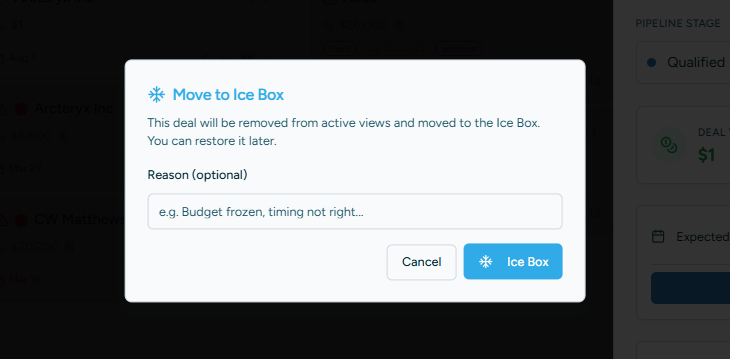
Open the deal drawer and click the Ice Box button (the snowflake icon) next to the Close Deal button. You’ll be prompted to enter an optional reason, such as “Budget frozen until Q3” or “Champion left the company.” This reason is saved and visible in the Ice Box view for future reference.
Viewing the Ice Box
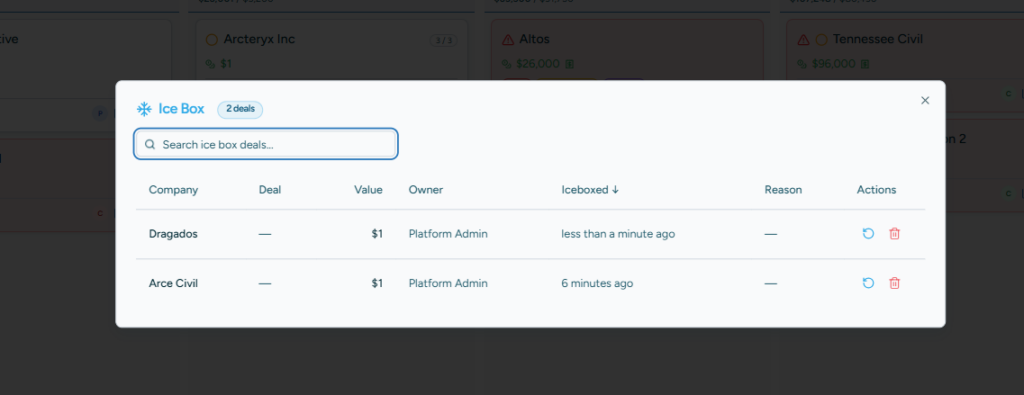
Click the Ice Box button in the Deals toolbar to open the full archive. This view shows all iceboxed deals across all users in a searchable, sortable table. You can filter by owner, sort by date archived, and search by company or deal name.
Restoring a Deal
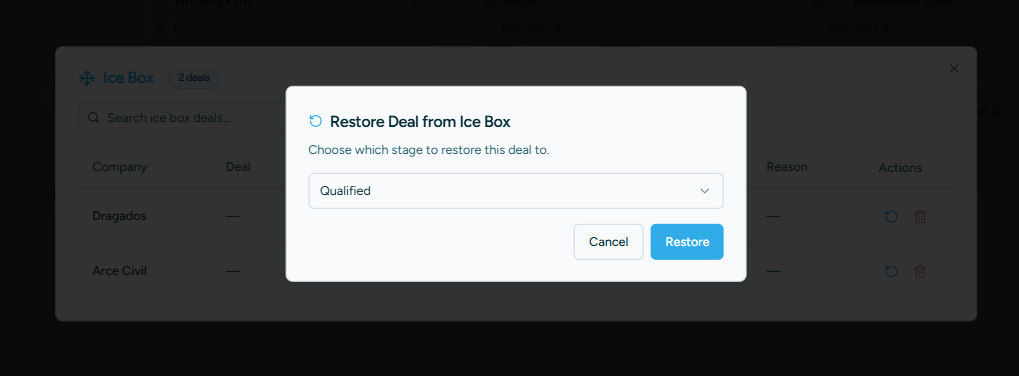
When a deal warms back up, find it in the Ice Box modal and click the restore icon. You’ll choose which pipeline stage to place it in. The deal is automatically reassigned to you as the new owner, so it’s clear who is driving it forward.
Key Details
- Ice Box is a state, not a pipeline stage — your fixed stages remain unchanged.
- Iceboxed deals are excluded from forecasting, analytics, and active deal counts.
- Iceboxed deals still appear in the Customer Hub with a distinct blue “Ice Box” badge for full customer context.
- There is no limit to how many deals can be in the Ice Box — it’s designed for long-term archival.